

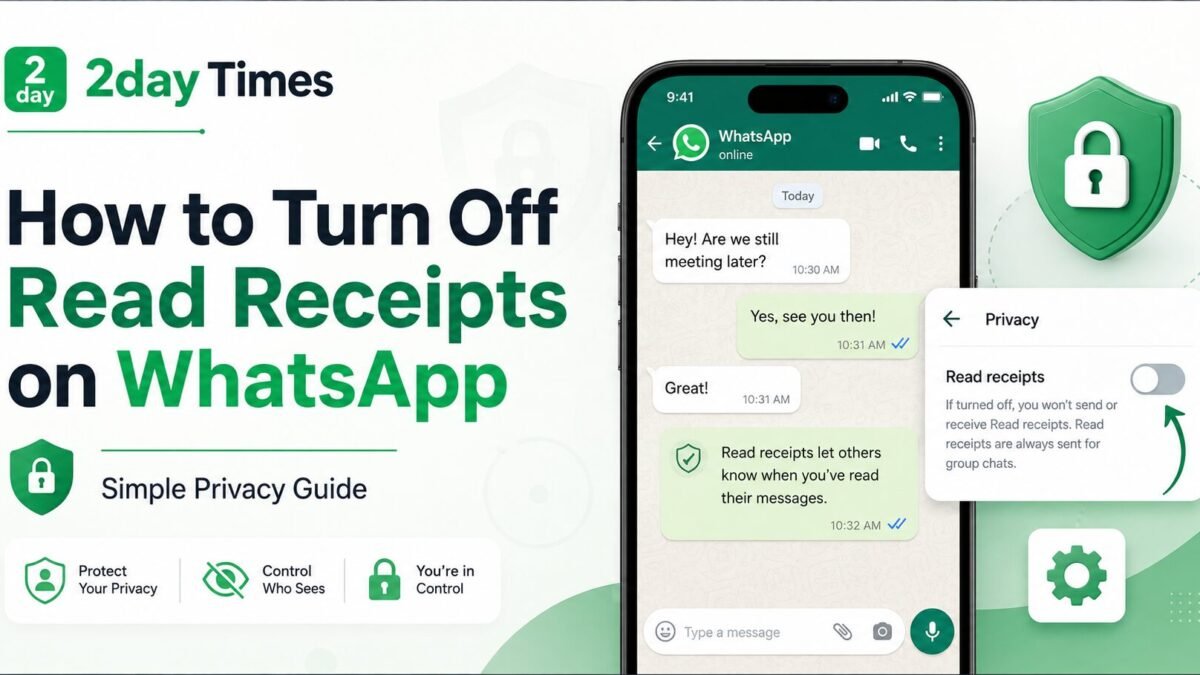
WhatsApp read receipts are useful when you want to know whether someone has seen your message. But there are times when you may prefer more privacy and do not want contacts to know exactly when you have read a message.
Fortunately, WhatsApp lets you switch read receipts off in a few taps.
To turn off read receipts on WhatsApp, open Settings, go to Privacy, and switch off Read receipts. On Android, first tap the three-dot More options menu, then Settings. On iPhone, open the Settings tab directly.
Once disabled, blue ticks will normally stop appearing in individual chats. There are, however, some important exceptions involving group chats, voice messages and WhatsApp Status.
This guide explains exactly how the feature works, what changes when you disable it and what WhatsApp still allows other people to see.
What Are Read Receipts on WhatsApp?
Read receipts tell the sender what has happened to a message.
In a normal WhatsApp conversation:
One grey tick means the message has been sent.
Two grey ticks mean the message has been delivered.
Two blue ticks normally mean the recipient has read the message.
The blue ticks are the part controlled by the Read receipts privacy setting.
Turning this feature off can give you more control over when you respond. Someone may know that their message reached your phone, but they will not normally see the blue ticks confirming that you opened it.
It is important to understand that read receipts work both ways. If you switch yours off, WhatsApp also prevents you from seeing read receipts from other people in individual chats.
How to Turn Off Read Receipts on WhatsApp on Android
The process on Android is simple.
- Open WhatsApp.
- Tap the three vertical dots in the top-right corner.
- Select Settings.
- Tap Privacy.
- Find Read receipts.
- Switch the setting off.
The change takes effect through your WhatsApp privacy settings.
If you later decide that you want blue ticks again, follow the same steps and switch Read receipts back on.
WhatsApp regularly updates its interface, so the exact appearance of menus may change slightly. The important setting remains inside the Privacy section.
For current guidance, you can also check the official WhatsApp page explaining how to turn off read receipts on WhatsApp.
How to Turn Off Read Receipts on WhatsApp on iPhone
The steps are slightly different because the Settings tab is directly available in the iPhone app.
- Open WhatsApp.
- Tap Settings.
- Select Privacy.
- Find Read Receipts.
- Switch it off.
That is all you need to do.
Your individual chats will then follow your updated read receipt preference.
You can return to the same Privacy menu at any time if you want to enable the setting again.
What Happens When You Turn Off Read Receipts?
This is where many guides become confusing.
Turning off the setting does more than hide your own blue ticks.
You stop sending normal read receipts
In individual chats, contacts will not normally receive blue ticks showing that you have read their messages.
They may still see two grey ticks showing that the message was delivered.
You cannot see other people’s read receipts
WhatsApp makes the setting reciprocal.
If you do not allow people to see when you read their messages, you also lose the ability to see when they read yours in individual chats.
This is worth considering before disabling the feature.
If you frequently use WhatsApp for important conversations where message confirmation matters, keeping read receipts enabled may sometimes be more useful.
Do Read Receipts Turn Off in WhatsApp Group Chats?
No.
This is one of the most important exceptions.
WhatsApp states that read receipts are always sent for group chats, even when the Read receipts option has been disabled in your privacy settings.
That means turning the setting off does not give you the same level of privacy inside a group conversation that it gives you in a normal one-to-one chat.
If you are disabling blue ticks specifically because you do not want a group to know whether you have read a message, the normal privacy toggle will not achieve that.
What Happens to WhatsApp Status Views?
Read receipts are also connected to WhatsApp Status.
If read receipts are disabled, your ability to see who viewed your Status is affected.
Similarly, read receipt settings can affect whether another person can see that you viewed their Status.
This is an easy detail to miss because many people think the setting controls only blue ticks in chats.
So if checking your Status viewer list matters to you, think carefully before turning read receipts off.
Can You Turn Off Read Receipts for Voice Messages?
Not completely.
WhatsApp treats voice-message play receipts differently from ordinary text-message read receipts.
According to WhatsApp’s current Help Center guidance, disabling normal read receipts does not disable play receipts for voice messages.
There is currently no separate setting that completely turns those play receipts off.
This means you should not assume that disabling blue ticks gives identical privacy across every message format.
Text messages, group chats, Status activity and voice messages do not all behave in exactly the same way.
Can You Turn Off Read Receipts for Just One Person?
WhatsApp’s standard Read receipts setting is a general privacy control rather than a per-contact switch.
You cannot simply open one person’s chat and disable blue ticks for only that contact through the normal Read receipts option.
If you disable the setting, it applies to your individual-chat read receipts generally.
This is different from some other WhatsApp privacy features where you can choose options such as specific contacts.
For users who simply want a little less pressure to reply immediately, the general setting is usually the easiest option.
Does Mark as Unread Hide the Blue Ticks?
No.
Marking a WhatsApp conversation as unread is mainly an organisational tool for you.
For example, you might read a message and then mark the chat as unread so that you remember to reply later.
It does not reverse the fact that you already opened the message.
If a read receipt has already been sent, marking the conversation unread should not be confused with hiding that receipt.
The better approach is to decide whether you want Read receipts enabled before relying on the feature for privacy.
Should You Turn WhatsApp Read Receipts Off?
There is no single best setting for everyone.
Turning them off can be useful if you prefer to read messages without feeling that you must respond immediately. It can also make everyday messaging feel less pressured.
On the other hand, read receipts can be helpful when you need confirmation that someone has seen important information.
For work, family arrangements, travel plans or time-sensitive messages, blue ticks can provide useful reassurance.
The trade-off is simple: more privacy means less visibility in both directions.
You can explore more practical digital guides in the 2DayTimes Tech section.
For another technology-related article on the site, see How Can You Make Your Workplace More Productive?.
You can also visit the 2DayTimes homepage for the latest guides across other topics.
Frequently Asked Questions
How do I turn off blue ticks on WhatsApp?
Open WhatsApp Settings, select Privacy and switch off Read receipts. Android users first access Settings through the three-dot More options menu.
Will someone know I read their message if read receipts are off?
In a normal individual chat, they will not normally receive the blue ticks that indicate you have read the message. Group chats and certain other WhatsApp features have different rules.
If I turn off read receipts, can I still see other people’s blue ticks?
No. When read receipts are disabled, you also lose the ability to see normal read receipts from other users in individual chats.
Do read receipts stay on in WhatsApp groups?
Yes. WhatsApp says read receipts are always sent in group chats, even if you disable the setting in Privacy.
Does turning off read receipts hide WhatsApp Status views?
Read receipt settings affect Status viewer information. When receipts are disabled, you may not be able to see who viewed your Status, and your own Status viewing can also be affected.
Can I disable read receipts for only one contact?
The standard WhatsApp Read receipts control is not a per-contact setting. Turning it off affects your normal individual-chat read receipts generally.
Can voice-message play receipts be turned off?
No. WhatsApp states that voice-message play receipts are not disabled by the normal Read receipts setting.
Final Thoughts
Learning how to turn off read receipts on WhatsApp takes only a few seconds, but understanding what the setting actually changes is more important.
For Android, go to More options, Settings, Privacy and switch off Read receipts. On iPhone, open Settings, select Privacy and switch the option off.
The main benefit is greater privacy in individual conversations. The trade-off is that you will also stop seeing other people’s normal read receipts.
Remember the exceptions too. Group chat receipts remain active, Status viewing information is affected and voice-message play receipts follow different rules.
If you understand those limitations, you can choose the WhatsApp privacy setting that best suits the way you communicate.